
How to Clean Up a Receipt Backlog and Fix Missing Information
October 1st, 2026 | Small Business Resources
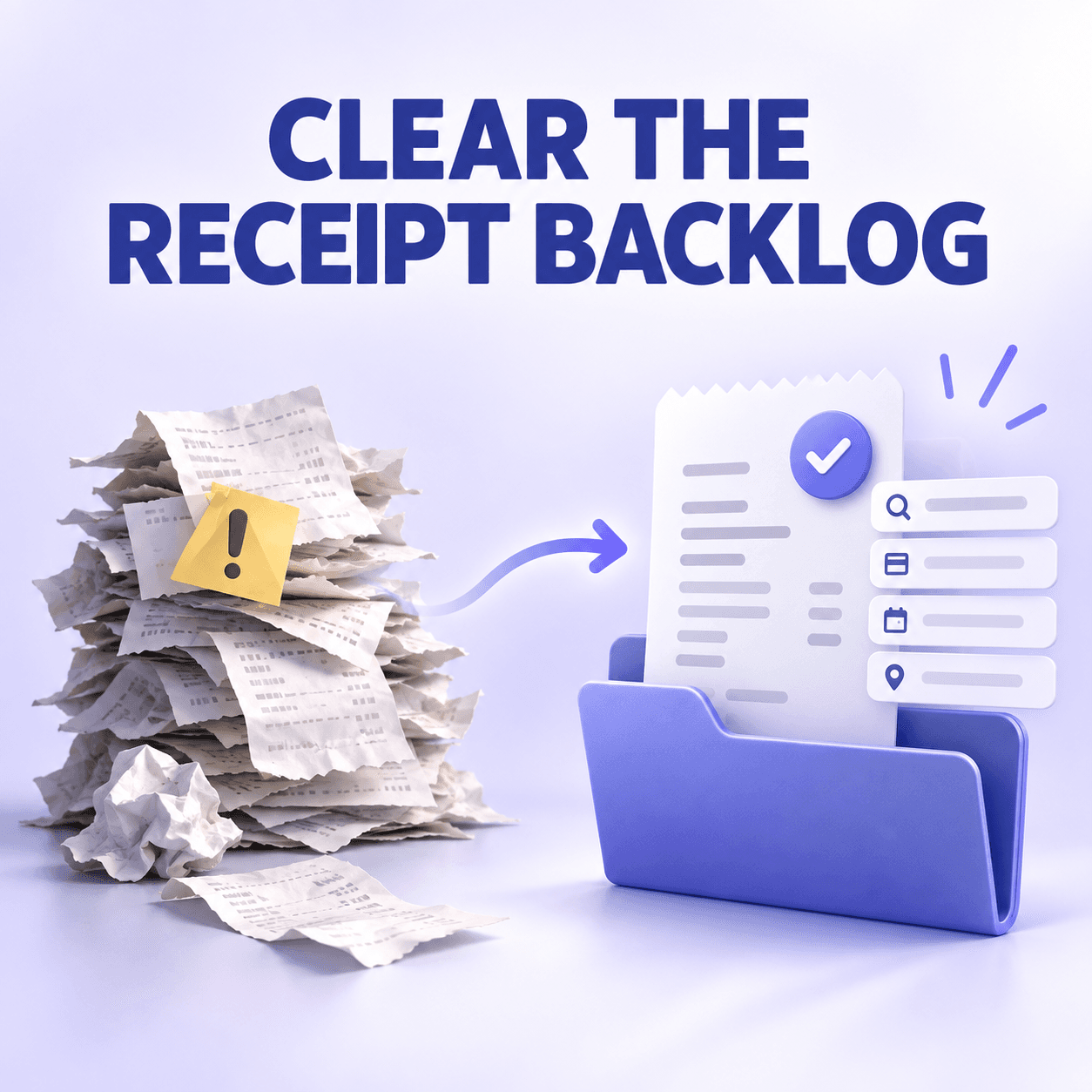
A receipt backlog can feel like one enormous bookkeeping problem. In reality, it is usually several smaller problems mixed together: unfiled paper receipts, email confirmations, incomplete records, duplicate uploads and transactions that have not been matched with documentation.
The fastest way to regain control is not to examine every receipt individually from the start. First, stop the backlog from growing. Then divide the existing records into manageable batches, reconcile each batch against financial transactions and send incomplete items to a separate review process.
The contents of the backlog will vary by workflow. A residential contractor may have fuel, material and equipment receipts scattered between a truck, email inbox and phone. A property manager may need to separate repairs by property, while a consultant may need to identify which travel and software expenses belong to a particular client.
Quick answers about cleaning up a receipt backlog
How do I clean up a receipt backlog and fix missing information?
Stop adding new receipts to the backlog, collect existing records from every source and divide them into monthly batches. Digitize and review one batch at a time, match receipts with bank or card transactions, remove confirmed duplicates and move incomplete records into a needs-review queue. Research missing details using supporting documents instead of guessing.
How do I organize a year of unfiled receipts?
Divide the year into 12 monthly work queues and retrieve the corresponding bank and credit-card statements. Within each month, separate receipts by business and payment account. Capture the documents, verify their information and mark each transaction as documented, personal, duplicated, missing support or needing additional review.
How can I clean up duplicate receipt records?
Compare suspected duplicates using the vendor, date, amount, payment method, receipt or invoice number and transaction match. Keep the record with the clearest image, most complete information and correct financial connection. Remove or mark the other record as a duplicate only after confirming that both records represent the same purchase.
What should I do with receipts that are missing information?
Place incomplete receipts in a needs-review queue and identify the missing fields. Check vendor accounts, emails, statements, order histories, calendars and project records for supporting evidence. Add only information you can verify, document how the record was reconstructed and ask a tax professional before treating a materially unsupported expense as deductible.
Start by stopping the backlog from growing
Before cleaning up older receipts, create a process for everything you receive today.
Starting now:
- Photograph paper receipts when you receive them
- Forward email receipts to one receipt inbox or capture system
- Download invoices from vendor portals promptly
- Add the business purpose when it is not obvious
- Require employees to submit receipts by a defined deadline
- Review new submissions at least once a week
This creates a dividing line between the backlog and current business activity. Without that line, new receipts will continue entering the pile while you are trying to reduce it.
Our guide to capturing paper, email, mobile and cash receipts can help you establish the ongoing process.
Gather receipts from every source
A receipt backlog is rarely contained in one box. Before organizing it, collect records from all the places where they may be hiding.
Check:
- Wallets, bags and desk drawers
- Envelopes and physical folders
- Business and personal email accounts
- Phone camera rolls
- Computer download folders
- Vendor portals
- Online order histories
- Employee submissions
- Bank and credit-card accounts
- Cloud-storage folders
- Bookkeeping or accounting systems
Think about where receipts originate in your particular line of work. A contractor may need to check work vehicles, supply-store accounts and employee text messages. A property manager may need to collect documents from maintenance vendors, online utility accounts and individual property folders. A consultant may find most of the backlog in email confirmations, travel accounts and software billing portals.
Do not begin detailed categorization during this collection stage. The first goal is to create one complete working set.
If you start organizing before everything is gathered, you may create duplicate records when the same receipt later appears in another email account, folder or employee submission.
Create a temporary sorting system
Use a small number of temporary groups before building the permanent organization.
Start with:
- Business receipts
- Personal or non-business purchases
- Needs review
- Possible duplicates
- Missing receipt or documentation
If you operate more than one business, separate receipts by business before doing anything else. Each business should have its own records.
The same principle applies when records must be separated below the business level. A property manager may need temporary groups for each property or ownership entity. A contractor may need to separate purchases by job, while a consultant may need to distinguish client-reimbursable expenses from general operating costs.
Do not create detailed expense-category piles yet. Categorizing too early slows the process and can cause you to spend time analyzing documents that are later identified as personal or duplicated.
Organize a full year month by month
Trying to clean up an entire year as one batch makes it difficult to measure progress or identify what is missing.
Instead, create a work queue for each month:
- January
- February
- March
- April
- May
- June
- July
- August
- September
- October
- November
- December
Within each month, separate records by payment source when possible:
- Business checking
- Business credit card
- Owner-paid expenses
- Employee-paid expenses
- Cash purchases
Payment sources often reflect how the business operates. A field-service contractor may have employee-paid supply purchases and fuel receipts from several cards. A property manager may use different accounts for different properties. A consultant may pay for client travel personally and later seek reimbursement. Preserve those distinctions during the cleanup so receipts are not matched with the wrong account or treated incorrectly.
The month creates a manageable work period. The payment account provides a transaction list against which the receipts can be checked.
Retrieve your financial statements
Download the bank and credit-card statements for the entire year before beginning reconciliation.
Statements can help identify:
- Purchases with supporting receipts
- Transactions missing documentation
- Duplicate transaction records
- Personal charges
- Recurring vendors
- Refunds or credits
- Expenses recorded in the wrong month
A financial statement is not automatically a replacement for a receipt. It may prove that money changed hands without showing what was purchased or why the expense was business-related.
IRS Publication 463 explains that a canceled check by itself does not prove a business expense without other evidence showing a business purpose. The same practical limitation applies to a bank or card statement that only shows the transaction. (IRS Publication 463)
Process one month at a time
Start with January and move forward, or begin with the most urgent tax period if you are working against a deadline.
For each receipt:
- Capture or upload the document.
- Confirm the vendor.
- Confirm the transaction date.
- Confirm the total.
- Identify the payment method.
- Add the business purpose.
- Assign the expense category.
- Match it with the corresponding transaction.
- Add a client, project or location when relevant.
- Mark the record as reviewed.
A month is complete when every relevant financial transaction has a status.
For example, a residential contractor reviewing a hardware-store receipt should not stop after confirming the vendor and amount. The record may also need the job name, material category, payment account and a note explaining whether the purchase was billable to a customer. A property manager reviewing the same type of receipt may need the property, unit and maintenance purpose instead.
This gives you a measurable definition of “done.”
Work in short cleanup sessions
You do not need to clean up the entire backlog in one day.
Schedule focused sessions of 30 to 60 minutes. Give each session one target, such as:
- Capture January paper receipts
- Review February email receipts
- Match March credit-card transactions
- Research April missing vendors
- Resolve May duplicate records
Short, specific sessions reduce fatigue and make it less likely that you will attach a receipt to the wrong transaction or delete a legitimate record.
Digitize paper receipts in batches
Prepare paper receipts before capturing them:
- Flatten folded or crumpled receipts
- Remove staples and paper clips
- Keep multi-page invoices together
- Separate receipts that are stuck together
- Set aside faded or damaged receipts for individual review
- Remove documents that are clearly personal or unrelated
Batch scanning can be faster for large quantities of similarly sized documents. A mobile capture app may work better for faded, fragile or irregular receipts that need individual attention.
Do not immediately discard the paper after scanning. First confirm that the digital image is:
- Complete
- Legible
- Right-side up
- Assigned to the correct record
- Not missing another page
- Successfully uploaded and stored
Verify the information on each record
A complete receipt record should normally identify:
- Vendor
- Transaction date
- Total amount
- What was purchased
- Business purpose
- Expense category
- Payment method
- Business entity
- Client, project or location when applicable
- Employee or owner who made the purchase
Not every field will apply to every record. The important information depends on how the expense will be used. A consultant may need the client and reimbursement status. A contractor may need the job and cost type. A property manager may need the property, unit or ownership entity. A bookkeeper reviewing the record needs enough context to categorize the expense without relying on assumptions.
Michigan State University Extension recommends capturing details such as the date, amount, payment method, vendor and item when collecting receipts or bills for accounting records. Although its guidance addresses farm businesses, those basic fields apply broadly to small-business receipt organization. (Michigan State University Extension)
If software extracts information from receipt images, review the results before treating them as final. Faded print, handwritten tips, damaged corners and unusual receipt layouts can cause information to be read incorrectly.
How to safely remove duplicate receipt records
Duplicate cleanup should be deliberate. Two records that look similar are not always duplicates.
A business could make two purchases from the same vendor for the same amount on the same day. A restaurant receipt and its credit-card slip may support one transaction. An invoice and proof of payment may represent different parts of the same expense record.
Compare these fields before removing anything:
Keep the record that has:
- The clearest image
- All required pages
- The most complete information
- The correct expense category
- The correct transaction match
- Relevant notes or business purpose
- The established accounting-system connection
If a receipt has already been exported or used in bookkeeping, preserve the connected version whenever possible. Deleting the wrong record could break the connection between the receipt and the financial transaction.
Duplicate documents and duplicate transactions are different
A duplicate receipt record means the same document was captured more than once.
A duplicate transaction means the same bank or credit-card transaction appears more than once in the financial records.
These require different corrections.
If two receipt images support the same transaction, preserve one authoritative receipt record. If two identical financial transactions appear, investigate whether they represent:
- An import error
- Pending and posted versions of one charge
- Two legitimate purchases
- A duplicated bank connection
- A refund or adjustment related to the original purchase
Do not delete a transaction simply because its amount and vendor match another one.
How to fix receipts with missing information
Move incomplete receipts into a separate needs-review queue. Do not allow one difficult receipt to stop the rest of the cleanup.
Label each record with the specific problem:
- Missing vendor
- Missing date
- Missing amount
- Missing business purpose
- Missing receipt image
- Unclear business or personal use
- Possible duplicate
- Unmatched transaction
- Accountant review required
Then research one type of missing information at a time.
Use the workflow surrounding the purchase to guide the search. A contractor may find the missing job in a work order, estimate or project calendar. A property manager may confirm the property through a maintenance request or vendor invoice. A consultant may use a meeting calendar, travel itinerary or client expense report to establish the business purpose.
Ask the vendor for a duplicate
Many vendors can provide another copy if you supply:
- Approximate purchase date
- Total amount
- Payment method
- Card’s last four digits
- Store or location
- Customer account information
A vendor-generated duplicate is generally stronger than a record recreated entirely from memory.
Search email and online accounts
Search using combinations of:
- Vendor name
- Approximate date
- Dollar amount
- “Receipt”
- “Invoice”
- “Order”
- “Payment confirmation”
- “Your purchase”
Check archived email, spam folders and personal accounts that may have been used for business purchases.
Use bank and card records carefully
The IRS provides guidance for reconstructing records lost after a disaster, including obtaining past statements from banks and credit-card companies. Although that guidance is specifically written for disaster recovery, retrieving third-party statements is also a useful first step when an original business receipt is missing. (IRS record-reconstruction guidance)
However, a statement may not show:
- What was purchased
- Whether part of the purchase was personal
- The business purpose
- The client or project
- Who made the purchase
Use the statement as part of the supporting evidence, not automatically as a complete receipt replacement.
Add a reconstruction note
When the original receipt cannot be recovered, create a note that includes:
- Vendor
- Date
- Amount
- Items or services purchased
- Business purpose
- Payment method
- Sources used to verify the information
- Date the record was reconstructed
- Name of the person providing the explanation
For certain travel, gift and vehicle expenses, IRS Publication 463 says incomplete records may need to be supported by a detailed written or oral statement and other evidence sufficient to establish the missing information. It also explains that records created near the time of an expense generally have more value than statements prepared later. (IRS Publication 463)
Documentation requirements vary by expense. If an important transaction remains unsupported, mark it for review by your accountant or tax professional rather than automatically treating it as deductible.
Prevent another backlog
Once the existing backlog is under control, create a simple routine:
After every purchase
- Capture the receipt
- Add the business purpose
- Identify the payment account
- Add the client, project or location when relevant
Every week
- Review new receipts
- Match transactions
- Correct missing information
- Follow up with employees
- Remove confirmed duplicates
Every month
- Reconcile bank and card accounts
- Review transactions without source documents
- Confirm that all receipts are categorized
- Close the completed month
This turns receipt organization into a small recurring task instead of an annual cleanup project.
How we help clean up a receipt backlog
We built Neat to help contractors, consultants, property managers, bookkeepers and other document-heavy businesses turn scattered receipts and financial records into organized, searchable information.
You can bring backlog documents into your account through file imports, mobile capture, email or a compatible scanner. We use OCR to extract details such as the vendor, date and amount, reducing the information you need to enter manually.
Once the documents are captured, you can:
- Organize receipts in your File Cabinet
- Search stored documents
- Add categories, projects and notes
- Match receipts with connected transactions
- Review transactions without source documents
- Create a record when no paper or electronic document is available
- Edit multiple records that need the same change
A contractor cleaning up a backlog can apply the same project or category to a selected group of material receipts. A property manager can organize documents by property or entity. A consultant can add client and project information to expenses that were previously missing context. A bookkeeper can search stored documents, review transaction matches and identify records that still require clarification.
Our bulk-edit tools let you apply changes to several selected receipts at once. This can help when a group of backlog receipts belongs to the same folder, project or category. You should still confirm that the selected records share the same information before applying the change. (Learn about our bulk-edit tools)
If duplicate transactions are streamed from a financial institution, our transaction tools allow identical transactions to be merged when their date, amount, vendor, category and transaction type match. This applies to duplicate financial transactions, not automatic detection of duplicate receipt images. (Learn about managing duplicate transactions)
When an original document is unavailable, you can create a record and add the information or notes you were able to reconstruct. Creating a record does not guarantee that the expense meets tax-substantiation requirements, so important undocumented expenses should still be reviewed with a tax professional. (Explore our item-management options)
A solo consultant or independent contractor with only a few monthly receipts may be able to clean up a backlog using statements, organized folders and a spreadsheet. A dedicated receipt-management system becomes more useful when the backlog contains hundreds of documents, multiple capture sources, recurring missing information or transactions that must be matched and reviewed.
Start your free trial and turn your receipt backlog into organized, searchable financial records.
Share This Article


Popular

September 23rd, 2026

March 9th, 2022


June 26th, 2020


August 23rd, 2022