
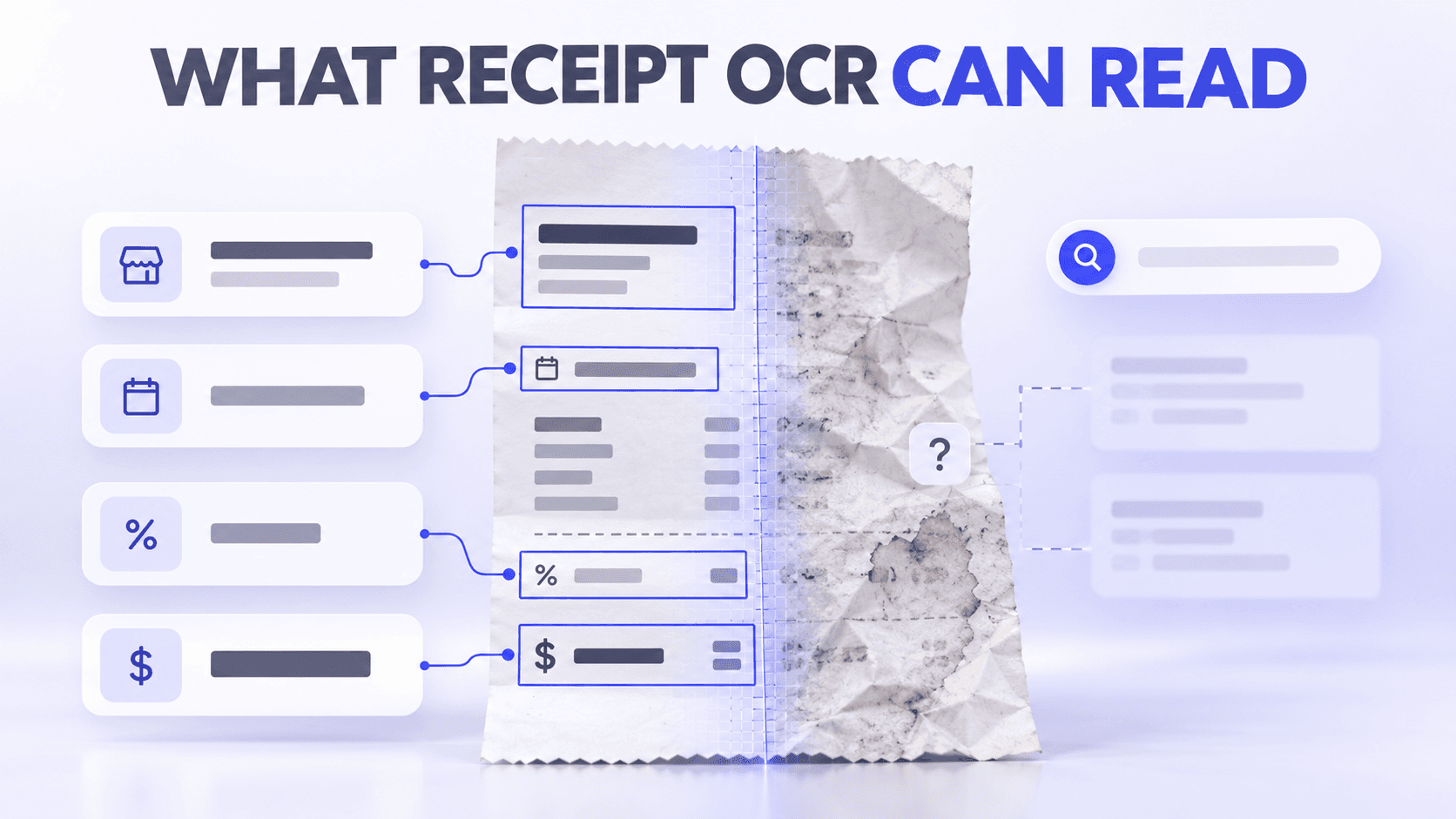
Receipt OCR can sometimes read faded or damaged receipts, but only when enough visible character detail remains in the image. It may improve low contrast, recognize partially faded characters, and use the surrounding layout to identify likely fields. It cannot reliably recover text that has completely disappeared or information that was never printed.
Receipt OCR performs best on flat, complete, well-lit receipts with clear machine-printed text. Handwriting, physical damage, unusual layouts, ambiguous currencies, and missing sections increase the need for human review.
For bookkeepers serving residential contractors and field-service businesses, OCR can reduce repetitive data entry. It can help extract vendor names, dates, amounts, and other details from fuel, material, equipment, restaurant, and supply receipts. It cannot independently determine why the purchase was made, which job used it, whether it is deductible, or whether the suggested expense category is correct.
Quick answers about receipt OCR
Can OCR read faded or damaged receipts?
Sometimes. OCR may read a faded or damaged receipt if enough character shapes and contrast remain. It cannot reliably reconstruct text that is missing, covered, torn away, or completely faded.
Can OCR recognize handwritten notes on receipts?
Some OCR systems can recognize clear block handwriting, but handwritten recognition is generally less consistent than recognition of machine-printed text. Important job numbers, customer names, or business-purpose notes should be reviewed and entered in a structured field.
Can receipt scanning identify the vendor automatically?
Yes. Receipt-processing software can often identify a vendor from the printed merchant name, address, logo, website, or other receipt information. Results should be reviewed because legal names, store locations, payment processors, and abbreviated names may create duplicates or incorrect matches.
Can OCR detect dates, taxes, tips, and totals separately?
Receipt-specific OCR can often separate dates, subtotals, taxes, tips, discounts, and totals when the receipt is clear and follows a recognizable layout. Multiple dates, handwritten tips, refund amounts, and several competing totals can cause errors.
Can OCR recognize receipts in different languages or currencies?
Some OCR systems support multiple languages, writing systems, and currencies. Support varies by platform. Recognizing the printed characters does not guarantee that the system will correctly interpret the currency, date format, tax structure, or decimal separator.
Can scanned receipts be made searchable?
Yes. OCR converts text in a receipt image into searchable information. Depending on the software, users may search the recognized text or structured fields such as vendor, date, amount, category, and notes.
Can receipt OCR identify expense categories?
OCR alone reads characters. Categorization requires additional rules, vendor mappings, historical decisions, or machine-learning models. Software may suggest or apply a category, but a user should confirm that it reflects the purchase’s actual business purpose.
What does receipt OCR actually do?
Receipt automation usually involves three related but different processes.
| Process | What it does | Example |
| Optical character recognition | Converts visible characters in an image into machine-readable text | Reads “ABC Building Supply” from the receipt |
| Receipt parsing | Determines which text belongs in specific fields | Identifies ABC Building Supply as the vendor and $246.18 as the total |
| Expense categorization | Applies financial meaning to the transaction | Suggests materials, repairs, equipment, or another expense category |
This distinction explains why software may read every word correctly but still select the wrong total or category.
For example, a hardware-store receipt could show a vendor name, transaction date, subtotal, tax, and total clearly. OCR might recognize each value correctly. The system still cannot know whether the purchase should be categorized as:
- Job materials
- Repairs and maintenance
- Tools
- Equipment
- Office supplies
- A reimbursable customer cost
- A personal purchase
That determination depends on what was purchased, how it was used, and how the contractor maintains its books.
What information can receipt OCR usually read?
Receipt OCR is generally most reliable when information is clearly printed and follows a familiar receipt structure.
Vendor or merchant name
The vendor is often printed prominently near the top of the receipt. OCR and receipt-parsing software may also use the address, telephone number, website, logo, or store number to identify the merchant.
Transaction date
OCR can usually recognize a clearly printed purchase date. Accuracy may decrease when a receipt contains several dates, such as:
- Transaction date
- Order date
- Delivery date
- Return deadline
- Payment-processing date
- Printed or reprinted date
The system must determine which one represents the expense date.
Subtotal and total
Receipt-processing software can often distinguish the final total from line items and the subtotal. Confusion may occur when a receipt contains several prominent amounts, including discounts, deposits, balances due, refunds, cash tendered, or change.
Sales tax
A clearly labeled tax amount can often be extracted separately. Tax treatment becomes more difficult when a receipt contains several tax rates, tax-inclusive pricing, exemptions, or regional abbreviations.
Tips
Some receipt-processing systems can identify tips separately, particularly on standard restaurant receipts.
Accuracy may decrease when:
- The tip is handwritten
- Both suggested and actual tips appear
- The customer copy and merchant copy show different information
- The final total is calculated incorrectly
- The tip line is blank
- A service charge is included automatically
- The receipt contains several gratuity-related amounts
Not every receipt platform provides a separate tip field, even if the OCR engine can read the number.
Line items
OCR may recognize individual product names, quantities, and prices. Line-item extraction is usually more difficult than identifying the vendor or final total because text is smaller, abbreviations are common, and long receipts may contain dozens of rows.
Payment information
Receipt OCR may identify a payment type or partial account number when it appears on the receipt. Full payment-card details should not be required for ordinary expense organization and may be masked by the merchant.
Receipt OCR capability guide
| Receipt information or condition | Typical capability | Human review needed? |
| Clear machine-printed vendor | Usually strong | Confirm vendor name and duplicates |
| Clearly labeled purchase date | Usually strong | Check receipts with multiple dates |
| Final total | Usually strong | Check discounts, refunds, deposits, and multiple totals |
| Sales tax | Moderate to strong | Check multiple rates and unusual labels |
| Handwritten tip | Variable | Yes |
| Individual line items | Variable | Review abbreviations and quantities |
| Handwritten job number | Limited and variable | Yes |
| Faded thermal printing | Variable | Yes |
| Torn or missing text | Limited | Supporting documentation may be necessary |
| Foreign language | Platform-dependent | Confirm language support and parsed fields |
| Currency | Platform-dependent | Confirm symbol, code, decimal format, and account currency |
| Expense category | Context-dependent | Confirm business purpose and category |
| Tax deductibility | Not determined by OCR | Professional or informed human review required |
| Customer, property, or project | Usually requires business context | Yes |
How does receipt quality affect OCR accuracy when extracting information from faded, damaged, or partially unreadable receipts?
OCR may read a faded receipt when the characters are still visible enough to distinguish from the background.
Recognition depends on:
- How much contrast remains
- Whether the fading is even or patchy
- The size of the characters
- Image resolution
- Lighting and glare
- Whether the paper is stained or discolored
- Whether enhancement removes or reveals detail
- The OCR system’s training and processing methods
Research published by the National Institute of Standards and Technology has demonstrated that declining image and print quality can substantially increase character-recognition errors. Review the NIST research on image quality and OCR.
How does receipt quality affect OCR accuracy when extracting information from faded, damaged, or partially unreadable receipts?
- Capture the receipt in color before applying filters.
- Place it on a flat, contrasting background.
- Use even lighting without flash glare.
- Fill the camera frame with the receipt.
- Scan at 400 ppi when using a document scanner.
- Test grayscale and contrast-enhancement settings.
- Keep the original capture in case a filter removes faint details.
- Review recognized fields against the visible receipt.
- Add supporting documentation if required information remains unreadable.
Do not repeatedly edit the only copy of the image. Preserve the original and create an enhanced version for review.
What if the text has disappeared completely?
OCR cannot recover character detail that no longer exists in the image.
If the vendor, date, total, or business purpose is missing, supporting records may include:
- Credit-card or bank statements
- Itemized invoices
- Email confirmations
- Online order histories
- Vendor account records
- Project documentation
- Reimbursement requests
- Written business-purpose notes
A bank transaction may help prove that money moved, but it may not show exactly what was purchased or why it was a business expense.
For additional guidance, read How to Handle Missing, Faded, Mixed, and Unusual Receipts.
Can OCR read physically damaged receipts?
It depends on whether the important information remains visible.
Crumpled receipts
OCR may struggle when folds create shadows, distort characters, or run through lines of text. Carefully flatten the receipt and capture it under even lighting.
Torn receipts
Arrange the pieces on a contrasting background without covering printed content. Capture the reconstructed receipt and use close-up images when necessary.
OCR cannot infer text from a missing piece with sufficient reliability for recordkeeping. Use other documentation to support the missing information.
Stained receipts
Capture the receipt in color. A grayscale or high-contrast filter may improve readability, but aggressive filtering can cause faint text to disappear.
Receipts with missing sections
If the top is missing, the vendor may be unknown. If the bottom is missing, the final total or payment method may be absent.
Preserve the available portion and connect it with another record instead of guessing.
How accurately can OCR extract handwritten information from receipts, and what factors affect its reliability?
Receipt OCR is primarily designed for printed text. Some systems include handwriting-recognition capabilities, but results vary considerably based on writing style and image quality.
Clear block letters are easier to recognize than:
- Cursive
- Initials
- Short abbreviations
- Writing across printed text
- Notes written at an angle
- Faint pencil
- Smudged ink
- Numbers without labels
- Internal job codes unfamiliar to the system
A handwritten “Job 204” may be recognized as “Job Z04,” “204,” or another variation. Even if the characters are read correctly, the system may not understand that the number refers to a particular customer project.
Do not rely on receipt handwriting for essential context
Bookkeepers serving contractors frequently receive receipts with handwritten information such as:
- Customer name
- Job number
- Technician initials
- Property address
- Vehicle number
- Reimbursement status
- Business purpose
- Materials allocation
Store this information in dedicated project, customer, location, note, or category fields. The handwritten receipt remains useful supporting documentation, but structured fields make the context easier to search, review, and report.
How does OCR identify the vendor?
Receipt software may use several clues:
- Printed merchant name
- Logo
- Address
- Phone number
- Website
- Store number
- Tax identification information
- Recurring receipt layout
- Previously reviewed vendor records
A clear vendor name is usually easier to recognize than a stylized logo.
Why vendor identification can be wrong
Common causes include:
- The receipt shows a parent company rather than the familiar store name.
- A payment processor appears more prominently than the merchant.
- The name is abbreviated.
- Several store locations use different variations.
- The business changed names.
- OCR mistakes a logo for text.
- Part of the receipt header is faded or torn.
- The merchant name appears only in another language.
- A fuel or restaurant receipt contains several brands.
Standardize vendor names and merge duplicates when your software supports it. This improves searching, reporting, vendor mapping, and future category suggestions.
How does receipt OCR identify and categorize individual transaction details, such as purchase dates, sales tax, gratuities, and total amounts?
Yes, receipt-specific software can often assign each value to a separate field. However, successful extraction requires more than recognizing the numbers.
Consider a restaurant receipt containing:
- Transaction date
- Subtotal
- Sales tax
- Suggested gratuity percentages
- Handwritten tip
- Service charge
- Final total
- Amount paid
- Credit-card authorization time
OCR may read all the numbers correctly. The receipt parser must still decide what each number represents.
Common causes of field confusion
- Several totals appear on the receipt.
- Tax is included in the displayed price.
- A discount appears near the total.
- The receipt shows a refund or credit.
- The tip is handwritten.
- A deposit was paid earlier.
- The purchase was split between payment methods.
- The date uses an unfamiliar format.
- Tax labels use regional abbreviations.
- The receipt includes both local and converted currency totals.
Verify the fields that affect bookkeeping, reimbursement, customer billing, or tax reporting. High confidence in one field does not guarantee that every other field is correct.
How does receipt OCR process international receipts with different languages, currency symbols, and formatting conventions?
Some OCR engines can recognize several languages and writing systems, but multilingual performance varies.
A system may:
- Recognize one language automatically
- Require the user to select a language
- Support Latin characters but not other scripts
- Read the words without understanding the receipt layout
- Recognize numbers but misinterpret labels
- Perform well on printed text but poorly on handwritten text
- Support general text recognition without receipt-specific field extraction
Language recognition and receipt understanding are separate capabilities. An OCR engine may transcribe a foreign-language receipt but fail to identify which phrase represents the subtotal, tax, or final amount.
Before adopting an OCR workflow for multilingual receipts:
- Confirm the supported languages.
- Test actual receipts from your vendors.
- Include clear and difficult samples.
- Test dates, taxes, totals, and line items separately.
- Confirm that searchable text is created.
- Establish a manual-review process for unsupported receipts.
Can OCR identify different currencies?
OCR may recognize currency symbols, codes, and amounts, but interpretation can still be ambiguous.
Potential problems include:
- Several currencies use the dollar symbol.
- A currency code is not printed.
- Commas and periods are used differently.
- The receipt shows local and converted amounts.
- A card statement uses another conversion rate.
- The transaction includes a foreign-transaction fee.
- The receipt date format differs from the account’s locale.
- Tax is included in the displayed price.
For example, 1,250 might represent one thousand two hundred fifty units or an amount with a decimal comma, depending on the locale.
Confirm:
- The original transaction currency
- The amount printed on the receipt
- The amount posted to the financial account
- Any exchange rate or fee
- The currency used in bookkeeping
- Whether the software supports that currency
Neat currently provides USD and CAD as account currency options. Bookkeepers processing other currencies should confirm the current workflow and manually verify converted or foreign-currency information.
How does OCR make digital receipts searchable by merchant, date, amount, or transaction details?
Yes. OCR can create a searchable text layer or index from words detected in a scanned receipt.
Depending on the software, users may search for:
- Vendor
- Date
- Amount
- Product description
- Address
- Receipt number
- Category
- Customer
- Project
- Location
- Notes
- Other recognized keywords
Searchability does not correct inaccurate OCR. If the system reads a vendor incorrectly, a search for the correct name may not return the document.
Structured fields improve retrieval because users can standardize names, categories, projects, and locations instead of relying entirely on the raw recognized text.
For example, a bookkeeper may search for every receipt assigned to:
- A particular contractor client
- Job 204
- A service vehicle
- A building or property
- A specific expense category
- A tax year
- An employee or technician
Learn how to combine searchable information with folders, categories, and tags.
How does receipt OCR support automatic expense categorization, and what information is used to classify transactions?
OCR does not inherently know the business purpose of a purchase.
It may read:
- Vendor: Local Hardware Center
- Date: October 6
- Total: $184.62
That information alone does not reveal whether the purchase was:
- Materials used on a customer job
- Replacement tools
- Equipment
- Repair supplies
- Office maintenance
- A reimbursable purchase
- A mixed business and personal transaction
Receipt software may suggest a category using:
- Vendor rules
- Categories previously used with the vendor
- Receipt descriptions
- Historical user decisions
- Connected transaction data
- User-created mappings
- Statistical or machine-learning models
Treat the result as a suggestion unless the business has established a reliable rule.
Vendor-based categorization has limits
The same vendor may sell materials, tools, fuel, equipment, office supplies, and personal items.
A category that works for most transactions may be wrong for a specific purchase. Itemized receipts and business-purpose information are particularly important for mixed vendors.
Categories require review
Confirm:
- What was purchased
- Who used it
- Which client or job benefited
- Whether it is reimbursable
- Whether it is an expense or asset
- Whether one receipt should be split
- Which accounting category applies
- Which tax category applies
OCR reduces typing. It does not replace bookkeeping judgment.
What can receipt OCR not determine reliably?
Even an excellent scan and accurate text extraction cannot independently determine:
- Whether a transaction is legitimate
- Whether an expense has a valid business purpose
- Whether a purchase is tax-deductible
- Which customer, property, or job used the purchase
- Whether an employee followed the company’s expense policy
- Whether a mixed purchase should be partially excluded
- Whether equipment should be expensed or treated as an asset
- Whether a suggested category matches the company’s accounting policy
- Whether a receipt has been altered
- Whether other supporting documentation is required
These decisions require business context, accounting rules, company policy, or professional judgment.
What affects receipt OCR accuracy?
Image clarity
Blur prevents the system from distinguishing character shapes.
Lighting
Glare, shadows, and uneven brightness can hide text.
Resolution
A receipt that occupies only a small part of the image may not contain enough detail for small print.
Orientation
Rotated, tilted, or perspective-distorted text is harder to process.
Receipt condition
Fading, folds, stains, tears, and missing sections reduce the information available.
Layout
Unusual fonts, tightly packed columns, multiple totals, and complex line items create parsing challenges.
Language and locale
Unsupported scripts, unfamiliar date formats, and ambiguous currency symbols may reduce accuracy.
Handwriting
Variable letter forms and unlabeled numbers create uncertainty.
For practical capture instructions, see How to Scan Receipts Accurately with a Phone or Scanner.
How should bookkeepers review OCR results?
Bookkeepers do not need to treat every field as equally risky. Focus review on information that affects financial records.
Confirm the core transaction fields
Review:
- Vendor
- Transaction date
- Total
- Sales tax
- Payment method
- Currency
- Expense category
Add missing business context
Record:
- Contractor client
- Customer or project
- Job number
- Property or location
- Business purpose
- Employee or purchaser
- Reimbursable status
- Explanatory notes
Identify exceptions
Place receipts into a review workflow when they are:
- Faded or damaged
- Handwritten
- Missing a vendor, date, or total
- In an unsupported language
- In an unexpected currency
- Assigned an unusual category
- Connected with a high-value purchase
- Split between business and personal use
- Potentially duplicated
- Unmatched to a financial transaction
Compare the receipt with the transaction
Matching the receipt with bank or credit-card activity can help confirm the date, vendor, and amount.
It does not prove the business purpose or correct category, so retain the receipt image and contextual information.
How Neat uses OCR
Every receipt added to Neat is processed with OCR. This converts detected text into keyword-searchable information and can populate receipt fields such as vendor, date, and amount.
Our receipt workflow can help bookkeepers:
- Capture receipts using a phone or scanner
- Import digital receipts
- Forward emailed receipts
- Extract vendor, date, and amount information
- Make receipt text searchable
- Review new files through Needs Review
- Correct extracted information
- Add categories, projects, customers, locations, and notes
- Organize receipts in folders and subfolders
- Match receipts with financial transactions
- Produce expense and tax reports
Neat’s Smart Categorization uses the categories previously associated with recognized vendors to apply a preferred category to new files from the same vendor. This is separate from OCR and should still be reviewed when a vendor sells several types of products or services.
Neat currently supports USD and CAD as currency settings. OCR language recognition and currency settings are different capabilities, so test representative foreign-language receipts and verify every extracted field before relying on them.
We do not recommend treating OCR as infallible. Faded print, handwriting, damage, unusual layouts, ambiguous amounts, and missing business context require review.
The goal is to reduce manual entry while keeping a person in control of the final financial record.
Learn more about how receipt capture works or start your free Neat trial.
OCR is a starting point, not the final decision
Receipt OCR is good at turning clear printed information into searchable data. It can often identify vendors, dates, taxes, totals, and other common receipt fields.
Its limitations become more apparent when a receipt is:
- Faded
- Damaged
- Handwritten
- Multilingual
- In an unexpected currency
- Missing information
- Poorly photographed
- Unusually formatted
- Connected with an ambiguous expense
A strong receipt workflow combines OCR with image-quality checks, structured business information, transaction matching, and human review.
For bookkeepers serving contractors and field-service businesses, that combination can reduce repetitive typing without sacrificing the context and judgment required for reliable financial records.
Share This Article


Popular

September 23rd, 2026

March 9th, 2022


June 26th, 2020


October 2nd, 2026