
Are Digital Receipts Valid? What Small Businesses Should Know
October 9th, 2026 | Accounting & Bookkeeping
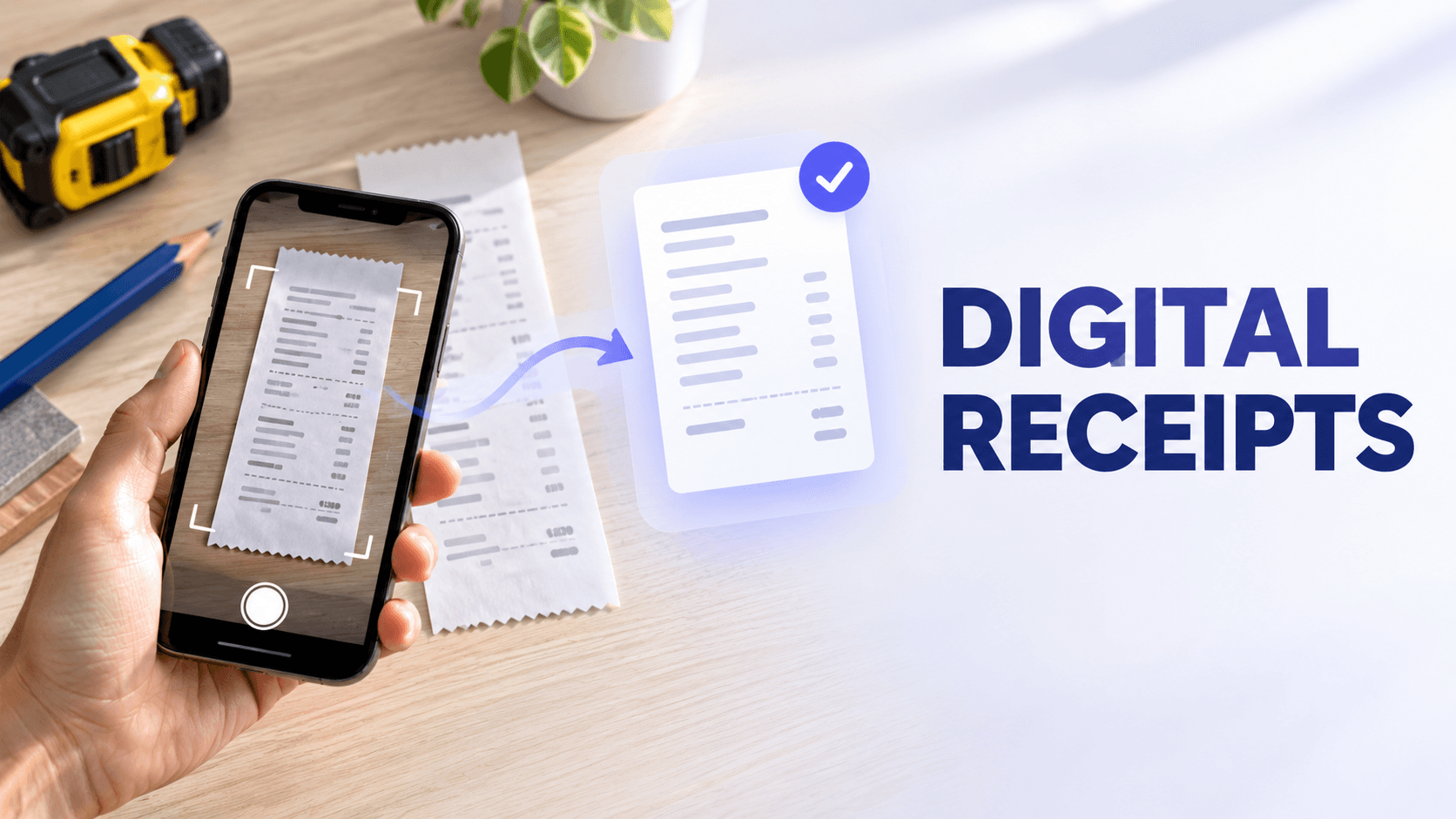
Yes, digital receipts are generally acceptable business records for U.S. federal tax purposes when they are complete, accurate, legible, accessible and retained for the required period.
A photograph, scanned copy, emailed receipt or downloaded PDF can support a business transaction. However, the file format alone does not make a record sufficient. The digital receipt should preserve the important transaction details and remain connected to the business purpose and proof of payment when those details are needed.
For a residential contractor, that might mean saving a clear picture of a materials receipt, adding the customer or job name and matching it with the related card transaction. For a property manager, it may mean connecting a repair receipt with the correct property. For a consultant, it could mean retaining an emailed travel receipt with a note explaining the client meeting.
Quick answers about digital receipts
Are digital receipts acceptable for business records?
Yes. The IRS allows businesses to use electronic recordkeeping systems as long as the records clearly show income and expenses and meet the same basic requirements that apply to paper records.
Electronic records should be complete, accurate, legible, retrievable and retained for as long as they remain relevant for tax purposes.
A clear and complete photograph can generally provide the same supporting information as the paper receipt. The picture should show the full receipt, including the vendor, transaction date, items or services purchased, amount and other relevant details.
A blurry, cropped or incomplete image may not provide enough information to support the transaction.
A screenshot can serve as supporting documentation when it preserves the necessary transaction details in a complete, accurate and legible form. Screenshots are especially useful for purchases made through an app or online portal that does not provide a downloadable receipt.
However, a cropped screenshot that shows only the total may not identify what was purchased or establish the business purpose. Save the original email, PDF or downloadable receipt whenever one is available.
Can digital receipts be used during an audit?
Yes. Digital receipts can be used to support transactions during an IRS examination when they are accurate, complete, accessible and connected to the entries in the business’s records.
The IRS may ask the business to explain reported income or expenses and produce supporting documents. Being able to retrieve a receipt by vendor, date, amount, expense category, property or customer project can make that process easier.
What are the risks of relying only on paper receipts?
Paper receipts can fade, tear, become wet, get lost in a vehicle or jobsite and remain inaccessible to the person handling the books. A paper-only process also makes it harder to search records, share them with a bookkeeper, match them with financial transactions and maintain a backup.
What makes a digital receipt an acceptable business record?
The IRS does not approve a receipt simply because it is stored as a particular file type. What matters is whether the record supports the transaction and whether the business can preserve and retrieve it.
The IRS explains that a business may choose any recordkeeping system suited to its operations as long as the system clearly shows its income and expenses. The same basic requirements that apply to paper records also apply to electronic records. IRS: What kind of records should I keep?
A reliable digital receipt should preserve the following information when applicable:
- Vendor or payee
- Transaction date
- Amount paid
- Items or services purchased
- Taxes, fees or discounts
- Payment method
- Business purpose
- Customer, project, property or client associated with the expense
- Approval or reimbursement information when an employee made the purchase
A combination of documents may sometimes be needed. A receipt may show what was purchased, while a bank or credit-card record shows how it was paid.
Proof of payment alone does not necessarily establish that an expense was business-related. For example, a contractor’s card statement may show a $412 purchase at a home-improvement store, but the itemized receipt explains whether the purchase involved job materials, tools or personal items.
Are pictures of receipts as valid as paper receipts?
A picture of a receipt can be as useful as the paper version when the image is complete and readable.
For example, suppose a remodeler purchases tile, adhesive and installation supplies for a customer project. A useful digital record would include:
- A picture showing the entire itemized receipt.
- The vendor, date and total.
- A note identifying the customer or project.
- The appropriate materials or job-expense category.
- The matching card or bank transaction.
The digital image becomes less useful if it cuts off the vendor name, omits part of a long receipt or is too blurry to read.
When photographing a receipt:
- Place it on a flat, contrasting surface.
- Use even lighting and avoid shadows.
- Capture all four edges.
- Photograph additional sections when the receipt is too long for one readable image.
- Include both sides if the reverse contains important information.
- Review the image before leaving the store or jobsite.
- Confirm that the date, amount and item details are readable.
- Add the business purpose while the purchase is still fresh in your memory.
For more guidance, see How to Capture Every Business Receipt: Paper, Email, Mobile, and Cash.
Do you need to keep paper receipts after scanning them?
Federal tax guidance does not require every business to keep every original paper receipt indefinitely.
IRS Publication 583 states that original hard-copy books and records may be destroyed when the electronic storage system has been tested to establish that the records are reproduced in compliance with IRS requirements and procedures are in place to maintain that compliance.
The electronic system must be able to:
- Index the stored records
- Preserve them for the required period
- Retrieve the requested records
- Reproduce them in a legible format
- Provide a complete and accurate record
- Make the records accessible to the IRS when required
This means taking a picture and immediately throwing away the paper is not always a sufficient process.
Before discarding an original receipt:
- Review the image for completeness and clarity.
- Confirm that all pages or sections were captured.
- Check the extracted or manually entered transaction details.
- Add the business purpose, customer, project or property.
- Confirm that the record appears in the correct account or folder.
- Make sure the digital records are backed up.
- Test whether the receipt can be found and opened later.
- Check for any non-tax requirement to retain the original.
Certain legal documents, titles, certificates, contracts, warranties and other records may still need to be retained in their original form. A paperless receipt policy should not automatically apply to every document the business receives.
Can digital receipts be used during an audit?
Digital receipts can support expenses during an IRS examination, but the business must be able to retrieve and explain them.
Publication 583 states that business records must remain available for inspection. If a return is examined, the IRS may ask the taxpayer to explain the items reported. A complete set of records can help support those explanations.
Consider a residential contractor who deducts materials, equipment rentals, fuel and subcontractor-related costs. A folder containing hundreds of unidentified images may be digital, but it is not necessarily well organized.
A stronger system would allow the contractor or bookkeeper to retrieve records by:
- Tax year
- Vendor
- Transaction date
- Amount
- Expense category
- Customer or project
- Payment account
- Employee or crew member
- Reimbursement status
The receipt image should also agree with the bookkeeping entry and related bank or credit-card transaction.
Digital storage does not change the underlying requirement to support the expense. An image showing a restaurant total, for example, may not contain the business purpose, attendees or other information that could be required for a business meal.
What are the risks of relying only on paper receipts?
Paper receipts are familiar, but they create several recordkeeping risks.
Thermal receipts can fade
Many store and fuel receipts are printed on thermal paper. Heat, sunlight, friction and time can make the text difficult or impossible to read.
A contractor who leaves receipts on a vehicle dashboard may discover that important details have faded before the records reach the bookkeeper.
Paper receipts can be lost or damaged
Receipts can disappear from pockets, toolboxes, vehicles, envelopes and jobsites. Water, dirt, fire and ordinary wear can also damage the record.
Once a paper receipt is gone, recreating an itemized record may require contacting the vendor or searching through an online account.
Paper is difficult to search
A property manager may need to locate every repair expense for one property. A consultant may need receipts associated with one client engagement. A contractor may need all material purchases for a specific remodel.
That information is much harder to retrieve when receipts are stored only in envelopes or boxes.
Paper delays bookkeeping
When receipts are submitted weeks or months after a purchase, the person reviewing them may no longer remember the business purpose, project or customer.
Immediate digital capture allows those details to be recorded while they are still known.
Paper does not provide an automatic backup
A single paper copy creates a single point of failure. A properly managed electronic system can preserve copies in more than one secure location.
Paper complicates collaboration
Bookkeepers and accountants may need the records before the end of the year. Digital documents can be reviewed without transporting boxes or repeatedly scanning individual receipts.
Can screenshots serve as valid receipt records?
Screenshots can help support a transaction, particularly when the purchase occurred through a mobile app, vendor portal or online marketplace.
Because IRS guidance focuses on the completeness and reliability of the record rather than naming one required image format, a screenshot may serve as part of the documentation when it clearly shows the relevant details.
A useful screenshot should show:
- Vendor or seller
- Purchase date
- Item or service description
- Amount paid
- Taxes and fees
- Order or confirmation number
- Payment status
- Relevant customer, project or property information when available
Avoid cropping the screenshot so closely that the vendor, date or item description disappears.
A screenshot may be insufficient when it shows only:
- A payment confirmation without the purchased items
- An order total without the vendor
- A product page rather than a completed purchase
- A bank notification without an itemized receipt
- A temporary screen that cannot be verified later
When possible, download the full receipt or invoice as a PDF, retain the confirmation email and keep the screenshot as an additional record.
Is a bank or credit-card statement enough without a receipt?
A bank or credit-card statement can help prove that money was paid, but it may not show what was purchased or why the expense was business-related.
The IRS notes that supporting documents for an expense should identify the payee, amount, date, proof of payment and a description of the item or service. It also explains that a combination of documents may be needed to substantiate all elements of an expense.
For example, a card statement may show that an electrician spent $287 at a supply house. The itemized receipt identifies the wire, connectors and other materials purchased. A project note explains which customer job used those materials.
Together, those records tell a more complete story than the card transaction alone.
If a receipt is missing, gather the strongest available combination of records. This may include a vendor invoice, emailed order confirmation, card statement, canceled check, account history and a contemporaneous note explaining the expense.
See How to Handle Missing, Faded, Mixed, and Unusual Receipts for additional guidance.
How long should digital receipts be kept?
Digital receipts should be retained for as long as they may be needed to support the related income, deduction or credit.
The IRS generally recommends keeping supporting records until the period of limitations for the tax return expires. For many federal income-tax situations, that period is three years, but longer periods apply in certain circumstances.
Some records require different treatment:
- Employment tax records generally must be kept for at least four years.
- Records related to property may need to be kept until after the property is sold and the applicable limitation period expires.
- Certain losses or unreported income can create longer retention periods.
- State tax agencies may have different requirements.
- Insurers, lenders, grant programs, customers or contracts may require longer retention.
Review the current IRS record-retention guidance and consult a qualified professional when setting a retention schedule.
Deleting a receipt from a phone after uploading it does not shorten the required retention period. The stored version still needs to remain accessible and readable.
How can contractors create a reliable digital-receipt workflow?
A reliable process captures the receipt close to the transaction and connects it with the information needed later.
1. Capture the receipt immediately
Photograph the receipt before leaving the store, supply house, fuel station or jobsite. Import emailed receipts and invoices instead of leaving them scattered across individual inboxes.
2. Review the image
Confirm that the full document is visible and readable. Retake the picture when any part is blurry, folded, shadowed or missing.
3. Verify the details
Check the vendor, date, amount and item information. Automated extraction can save time, but the captured information should still be reviewed.
4. Add business context
Record the customer, job, property or business purpose.
A note such as “materials” may be too vague. “Drywall and fasteners for the Harris basement remodel” provides much more useful context.
5. Categorize the expense
Assign the appropriate expense or tax category. Keep the categories consistent so reports remain useful.
6. Match the receipt with the transaction
Connect the receipt with the corresponding bank or credit-card transaction. This helps identify missing documents, duplicate entries and incorrect amounts.
7. Store everything in one searchable system
Avoid spreading records across a phone gallery, email inbox, shared drive and paper folders. Use one central process for mobile images, PDFs, emailed receipts and scanned documents.
8. Review unmatched activity
At least monthly, look for financial transactions that do not have supporting documents and receipt images that have not been connected with a transaction.
9. Test retrieval
Search for a receipt by vendor, date, amount, category and project. A digital archive is only useful if the business can locate the needed record.
Our guide to organizing digital receipts with folders, categories and searchable information explains how to create a structure that remains manageable as records accumulate.
Common digital-receipt mistakes
Treating the phone’s photo gallery as a recordkeeping system
A photo gallery can capture an image, but it may not provide expense categories, project information, transaction matching, retention controls or reliable business search.
Saving only a cropped image
A cropped total does not provide the same information as a complete itemized receipt.
Assuming a digital copy is automatically sufficient
The record still needs to be accurate, readable and connected to the business activity.
Failing to record the business purpose
The receipt may show what was purchased without explaining why the purchase was related to the business.
Relying only on automated data extraction
OCR and automation can reduce manual entry, but someone should verify the captured vendor, date, amount and category.
Keeping records in individual employee accounts
Receipts stored only on an employee’s phone or in a crew member’s email may become unavailable when that person changes devices or leaves the business.
Discarding paper before checking the digital copy
Verify the image and storage process before destroying the original.
Failing to back up or test the system
A digital system should preserve records for the applicable retention period and allow them to be retrieved when needed.
How we help businesses manage digital receipts
With Neat, contractors, property managers, consultants and bookkeepers can bring receipt records from several sources into one organized system.
You can:
- Photograph paper receipts with our mobile app
- Import receipt images from a mobile device
- Forward emailed receipts
- Upload PDFs and other financial documents
- Use OCR to extract information from receipts
- Review and edit receipt details
- Organize records by folder and expense category
- Add notes and project information
- Search by vendor, date, amount or category
- Connect financial accounts
- Match receipts and invoices with transactions
- Share organized records with a bookkeeper or accountant
Consider a plumber purchasing parts for three different service calls in one day. Instead of leaving the receipts in a vehicle, the plumber can photograph each one, review the extracted information, add the relevant customer or job and keep it connected with the corresponding financial transaction.
Neat helps organize and retrieve the records behind business expenses. Our tools do not determine whether a particular expense is deductible or guarantee that one document will satisfy every legal, tax, contractual or audit requirement.
Build a digital record that tells the complete story
Digital receipts can be acceptable business records, but a successful paperless process involves more than photographing a piece of paper.
A reliable digital receipt should answer:
- Who was paid?
- When did the transaction occur?
- What was purchased?
- How much was paid?
- How was it paid?
- Why was it related to the business?
- Which customer, project, property or client was involved?
- Can the record be found and reproduced later?
When those details are captured consistently, contractors and other document-heavy businesses can reduce lost receipts, speed up bookkeeping and make their records easier to review.
Ready to replace scattered paper receipts with an organized digital workflow? Start your free trial and keep receipts, expense details and financial transactions together.
This article provides general educational information and is not tax, accounting or legal advice. Recordkeeping requirements vary by expense, jurisdiction and business circumstances. Consult a qualified tax or legal professional about your records.
Share This Article


Popular

September 23rd, 2026

March 9th, 2022


June 26th, 2020


October 2nd, 2026